
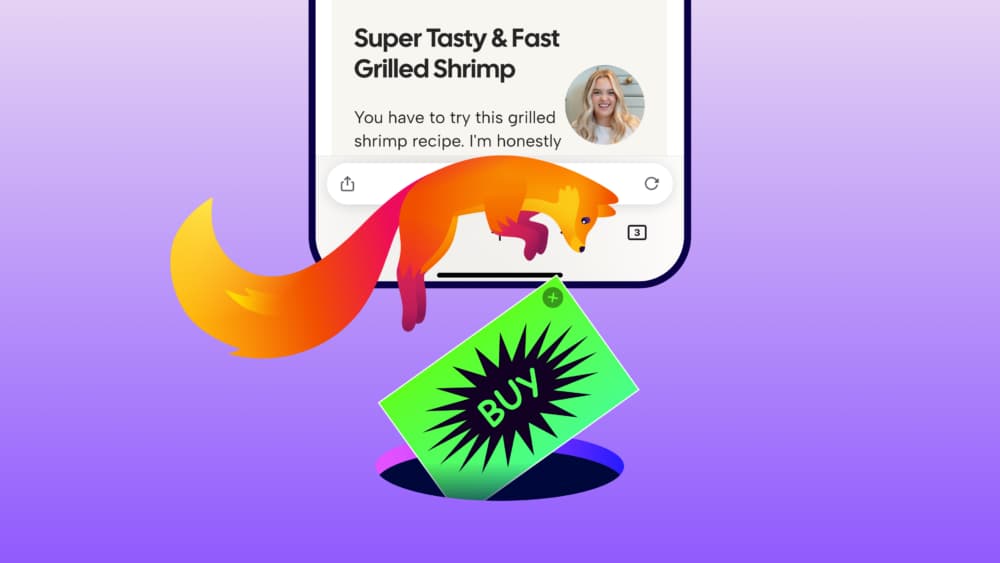
Short answer: yes—Firefox for iPhone and iPad now includes a built-in Ad Blocker, but it is not a promise of an ad-free web. It is optional, off by default, and currently rolling out progressively. When enabled, Mozilla says it blocks many third-party ads, ad networks and ad-related trackers before they load. Search ads, some ads served directly by the site you are visiting, and Firefox’s own sponsored New Tab content can still appear.
The useful part is not simply “Firefox added ad blocking.” It is that iPhone users now get a separate ad-blocking layer inside Firefox itself, alongside the browser’s existing Enhanced Tracking Protection.
Feature and availability check: September 2, 2026. Mozilla describes Ad Blocker for Firefox on iOS as experimental and says it is being introduced through a progressive rollout, so it may not yet appear for every user. Mozilla’s support page also says remote improvements must be enabled for the feature to be available.
What Firefox’s iOS Ad Blocker actually blocks
Mozilla says the feature uses a filter list based on EasyList together with Apple’s WebKit Content Blocker technology.
When it is enabled, Firefox can block many types of advertising at the network level, including:
- third-party advertising networks and exchanges;
- ad-related trackers;
- many third-party ads embedded by websites;
- intrusive formats such as pop-ups and overlays.
Because those requests can be stopped before the content loads, the benefit is not only visual. On pages where a lot of advertising infrastructure is removed, there may also be less unnecessary network activity and less clutter to render.
But Mozilla is explicit that the feature does not block everything.
What still gets through
This is the part that matters if “built-in ad blocker” sounds like “all ads disappear.”
Mozilla documents three important exceptions.
1. Search-engine ads are not blocked
Ads shown on search results pages—including Google, Bing, DuckDuckGo and other search providers—remain visible.
So enabling Firefox’s Ad Blocker and then searching Google is a poor test of whether the feature is working.
2. Ads served directly by a website may remain
Mozilla’s launch post says ads served directly by the site being visited can still appear. EasyList-based blocking is effective against a lot of third-party advertising infrastructure, but not every ad is delivered through a blockable third-party request.
This is why two sites can look very different with the same blocker enabled.
3. Firefox’s sponsored Home and New Tab content is separate
The new blocker does not remove sponsored shortcuts or other sponsored content on Firefox’s own Home or New Tab page. Mozilla treats those settings separately from advertising on web pages.
That distinction is worth remembering: web-page ad blocking and browser-home-page sponsorship are different controls.
Ad Blocker vs Enhanced Tracking Protection: they are not the same switch
Firefox for iOS already had Enhanced Tracking Protection (ETP) before this launch, which can make the new setting confusing.
The simplest mental model is:
- Ad Blocker: primarily tries to remove advertising infrastructure and visible ad clutter.
- Enhanced Tracking Protection: primarily tries to limit tracking across websites.
There is overlap because modern advertising and tracking often use the same infrastructure, but the two features use different lists and have different goals.
| Firefox iOS feature | Main purpose | List / mechanism documented by Mozilla | Default state | What to expect |
|---|---|---|---|---|
| Ad Blocker | Reduce ads and ad-related tracking | EasyList-based rules through Apple WebKit Content Blocker | Off | Many third-party ads disappear, but not all ads |
| Enhanced Tracking Protection — Standard | Limit common cross-site tracking | Disconnect tracking list | On | Blocks social, cross-site and other known trackers |
| Enhanced Tracking Protection — Strict | Stronger tracking protection | Broader tracking-content blocking | User-selected | Can block more tracking content, with a higher chance of site breakage |
Mozilla says the new Ad Blocker works alongside Enhanced Tracking Protection rather than replacing it.
That means a page can behave differently depending on both settings.
Why this is different from installing an ad-blocking extension
On Firefox desktop and Android, users can install browser extensions for ad blocking and privacy. Firefox on iOS does not offer that same extension model.
For the new iOS feature, Mozilla built ad blocking directly into Firefox and uses Apple’s WebKit Content Blocker framework underneath it. There is no separate Firefox extension to install.
That matters because the right comparison is not:
“Is this exactly the same as my favorite desktop blocker?”
It is:
“Does Firefox on iPhone now remove enough common ad clutter that I no longer need a separate workaround for ordinary browsing?”
For many users, that may be a much more useful question.
How to turn it on
If the rollout has reached the device, Mozilla’s documented path is:
- Open Firefox for iOS.
- Open the menu.
- Tap Settings.
- Scroll to Browsing.
- Under Content, turn Ad Blocker on.
Mozilla also exposes Ad Blocker through the Site menu while browsing.
If the option does not appear, do not assume the app is broken. Mozilla says the feature is in a progressive rollout and may not yet be available to everyone.
A better way to test whether it is working
Do not judge the feature from one website. Use a small three-page test instead.
Test 1: a content site with obvious third-party display ads
Open a site that normally loads banners, overlays or other third-party advertising. Enable Ad Blocker, reload, and compare the page.
This is where the feature is most likely to show its intended effect.
Test 2: a search results page
Search for a commercial query where the search engine shows sponsored results.
Those ads remaining is expected behavior, not a failure of the blocker.
Test 3: a site that breaks with privacy tools
If a login button, embedded media or another important element stops working, temporarily disable Ad Blocker and reload. If the problem remains, test Enhanced Tracking Protection separately.
The point is to identify which layer caused the problem rather than switching every privacy feature off at once.
Why do some ads still appear?
When an ad survives, three explanations are more useful than “the blocker doesn’t work.”
The ad is intentionally outside the current rules
Search ads are the clearest example. Mozilla explicitly says they are not blocked.
The ad is delivered as first-party content
If the site itself serves the ad rather than calling a known third-party advertising domain, a network-level filter may not have a clean request to block.
The filter list does not cover that implementation
No static filter list catches every advertising technique forever. Sites and ad systems change, and lists need to evolve with them.
That is why Mozilla describes the feature as blocking many ads rather than making a universal claim.
Should you enable it?
A simple decision table is more useful than treating ad blocking as an all-or-nothing philosophy.
| If the main goal is… | Best starting point |
|---|---|
| Fewer banners, overlays and third-party ads | Enable Ad Blocker |
| Reduce cross-site tracking without primarily targeting visible ads | Keep Enhanced Tracking Protection enabled |
| Stronger privacy protection even if some sites need exceptions | Consider ETP Strict plus Ad Blocker |
| Make absolutely every ad disappear | The new Firefox iOS feature does not promise this |
| Support a particular site that depends on ads | Disable the blocker when needed, or use the site’s supported subscription/donation option |
For most people who already use Firefox on iPhone, the low-effort experiment is straightforward: turn Ad Blocker on, browse normally for a few days, and note whether page cleanliness improves without causing annoying breakage.
The feature is reversible, so there is little value in debating it from the feature list alone.
The important limitation is iOS itself
Mozilla’s launch also highlights a broader browser-platform issue.
On desktop and Android, Firefox can differentiate through a large add-on ecosystem. On iOS, Mozilla says extensions are not available in the same way, so it had to build this capability directly into the browser using Apple’s available content-blocking framework.
That means Firefox on iPhone can become more capable, but it still does not automatically become equivalent to Firefox plus a full desktop-style extension stack.
For users, this is a useful way to evaluate mobile browser claims: look at what the browser can actually do on that operating system, not just what the same brand can do on desktop.
What to watch next
Three things will determine how useful Firefox’s new blocker becomes after launch.
Rollout coverage
The feature is still being introduced progressively. The first practical milestone is simply when it becomes available across the broader Firefox iOS user base.
Filter-list quality
The experience will depend heavily on how well the EasyList-based rules keep up with common advertising implementations without breaking legitimate page functionality.
The boundary between privacy and ad controls
Firefox now exposes both Enhanced Tracking Protection and a separate Ad Blocker on iOS. Mozilla will need to make that distinction understandable enough that users know which setting to adjust when a site behaves unexpectedly.
Conclusion
Firefox for iPhone finally has a built-in ad-blocking option, but the most accurate description is “fewer common third-party ads,” not “no ads.”
The new Ad Blocker is off by default, uses EasyList-based rules through Apple’s WebKit Content Blocker technology, and works alongside Firefox’s existing Enhanced Tracking Protection. Search ads, some first-party ads and Firefox-sponsored New Tab content can still remain.
That makes the feature less dramatic than a universal ad-kill switch—but more useful than it may sound. For iPhone users who prefer Firefox and mainly want a cleaner everyday web without installing or routing through a separate service, this is a meaningful capability gap being closed.
The best test is simple: enable it when the rollout reaches the device, browse the sites normally used for a few days, and judge it by the amount of clutter removed versus the amount of breakage created.
Sources
Checked September 2, 2026: